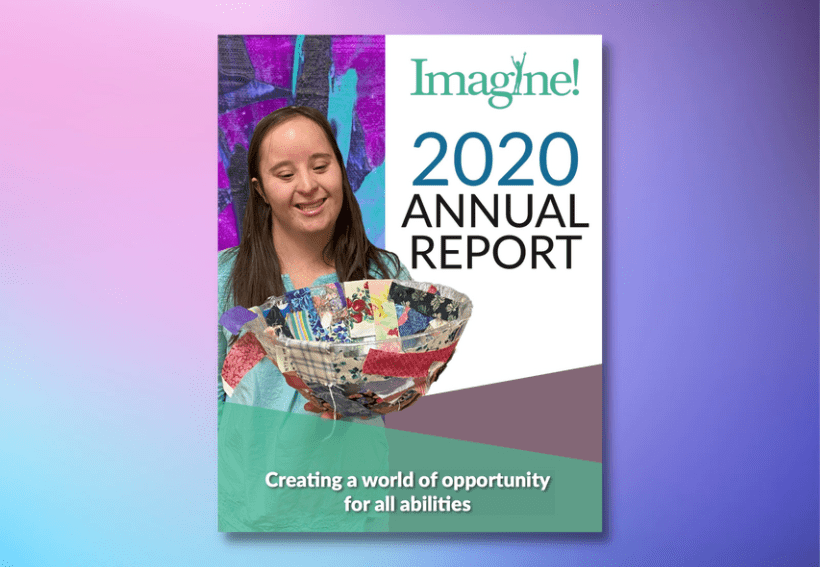
Imagine! 2020 Annual Report
Project for Imagine!
Date: October to December 2020
Role: Visual Designer, UX Designer
Tools Used: Adobe InDesign, XD, Photoshop, Tableau Public, and Canva
The Imagine! Annual Report is a yearly project led by the Public Relations Department and the Imagine! Foundation. In the past, the PR team at Imagine! supplied content and photos to an outside marketing team, who would then design and publish the report. The pandemic forced us to reevaluate our typical practices, so the Director of Public Relations decided it would be best to create the report in-house. That task was assigned to me while the other team members would provide the stories and data to be used within the report.
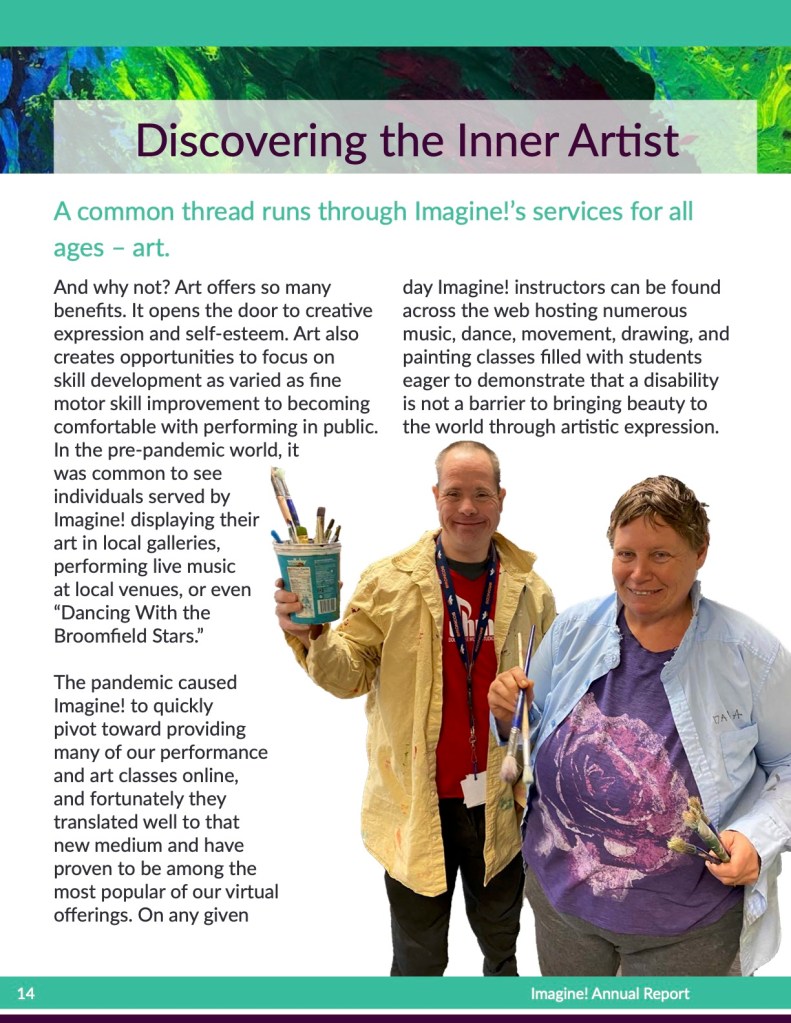
I was given free rein to design the cover and layout and use what photos I felt were best. Given that I had access to all of the photos taken by myself and my team, finding the pictures was easy and gave a more personal touch to the report. In previous years, the report used art and color blocks to fill out the empty space, so the team and recipients were excited to see so many faces within this version.
Care Coordination Tribute Video
Project for Imagine!
Date: October 2019
Role: Video Editor
Tools Used: Film with Canon XA10 HD Camera, Adobe Audition, Premiere Pro, After Effects
Care Coordination Tribute Video
Project for Imagine!
Date: October 2019
Role: Video Editor
Tools Used: Film with Canon XA10 HD Camera, Adobe Audition, Premiere Pro, After Effects
From the beginning, we had planned on printing fewer copies than usual to focus on a web version of the report. We did create a pdf first so that those who wished to view a more traditional format had the option to do so. I began this project by creating a template using a combination of original designs and elements from previous reports. I collected as many photos as I could, with the promise that I would not use a single stock photo unless absolutely necessary. Luckily I was able to accomplish my goal.
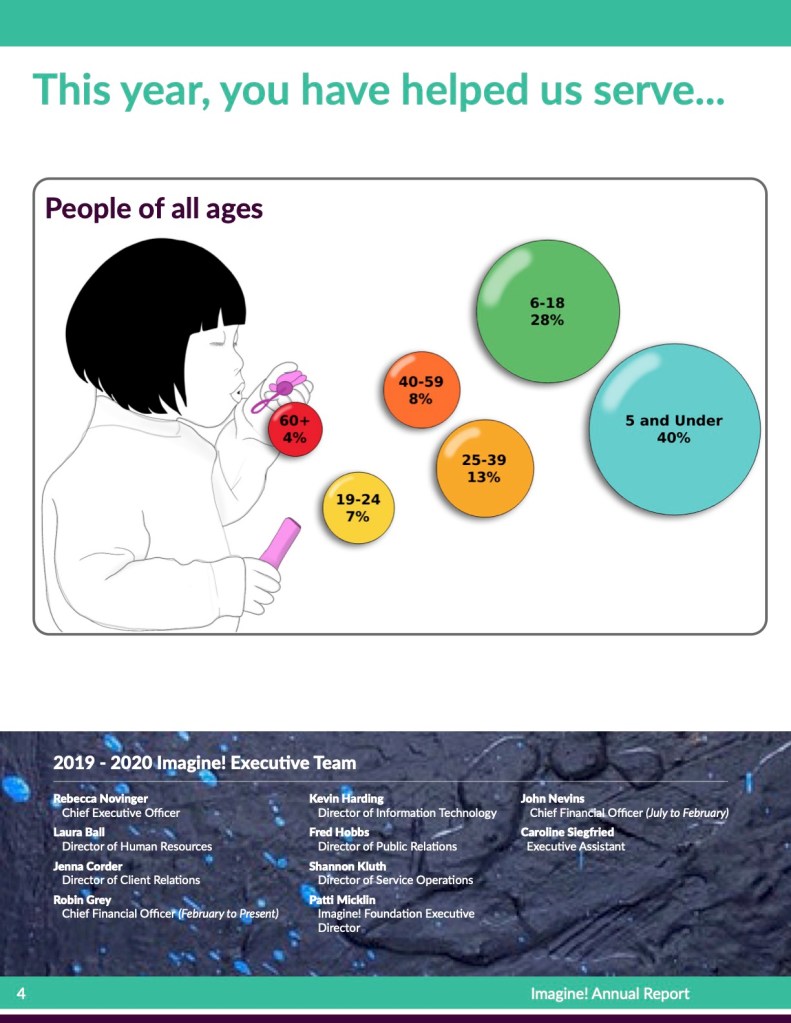
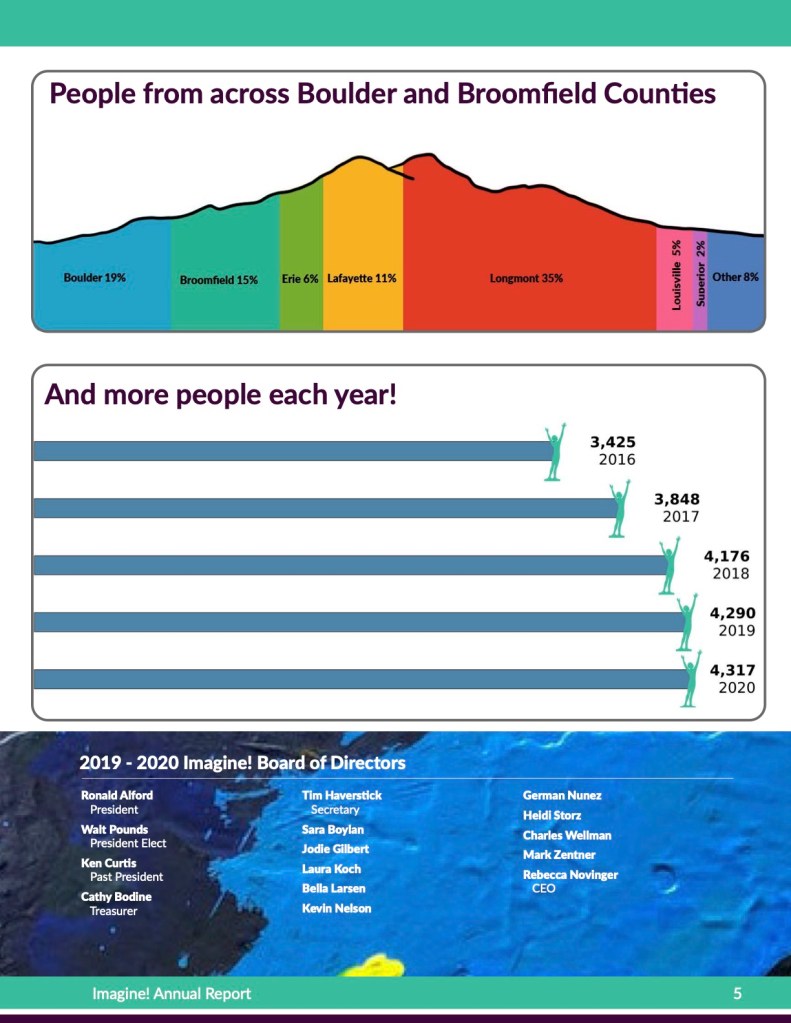
Next, I filled in the rest of the document using text and data collected by the rest of my team. I did spend some time creating three data visualizations to accompany this report, which can be seen below. These were made using Tableau with a bit of Adobe Photoshop to add shadows to the bubbles as was requested. This particular part of the project was challenging as I had never tackled data viz before, so it involved a great deal of trial and error and many hours watching instructional videos. I am pretty proud of how they turned out in the end.
Care Coordination Tribute Video
Project for Imagine!
Date: October 2019
Role: Video Editor
Tools Used: Film with Canon XA10 HD Camera, Adobe Audition, Premiere Pro, After Effects
Care Coordination Tribute Video
Project for Imagine!
Date: October 2019
Role: Video Editor
Tools Used: Film with Canon XA10 HD Camera, Adobe Audition, Premiere Pro, After Effects
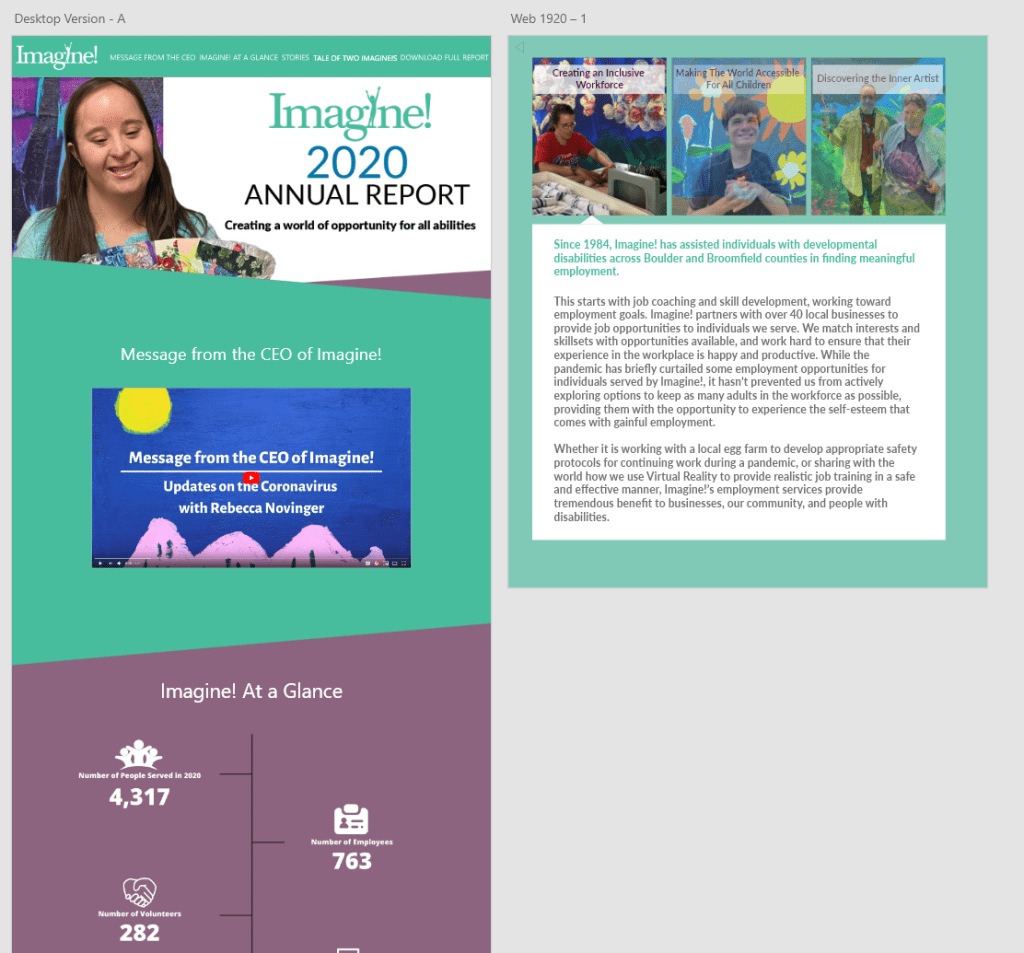
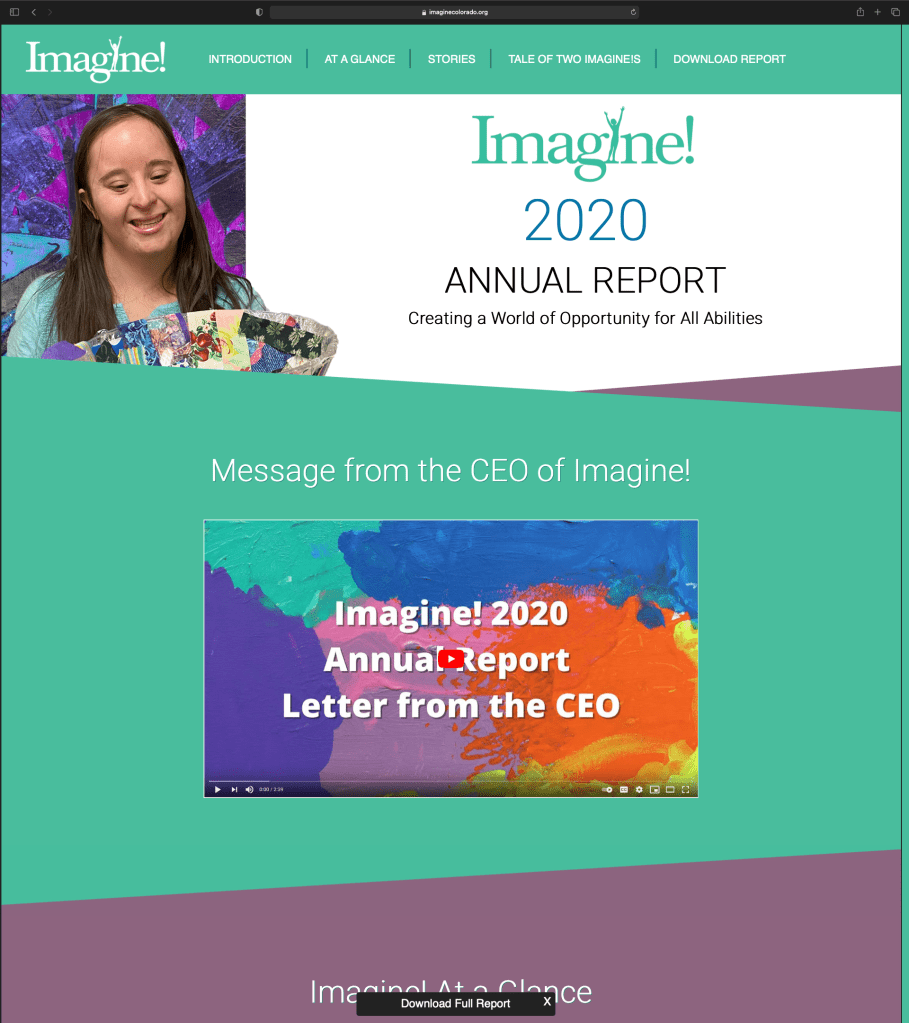
Once the document was finished, I moved on to designing the web version. The page features an introduction from the CEO, interesting facts about the client base from 2020, and the stories from the full version. Below you will see a preview of the original draft of the web page side by side with the final version. Please feel free to explore the web page at your leisure, which can be found here: Imagine! Annual Report 2020.
Care Coordination Tribute Video
Project for Imagine!
Date: October 2019
Role: Video Editor
Tools Used: Film with Canon XA10 HD Camera, Adobe Audition, Premiere Pro, After Effects
Care Coordination Tribute Video
Project for Imagine!
Date: October 2019
Role: Video Editor
Tools Used: Film with Canon XA10 HD Camera, Adobe Audition, Premiere Pro, After Effects
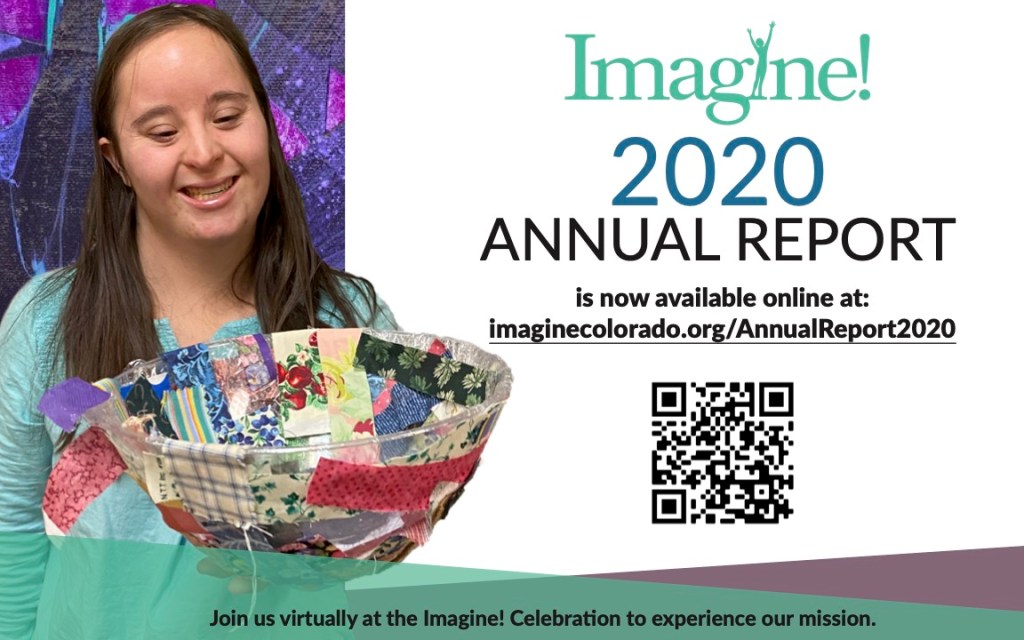
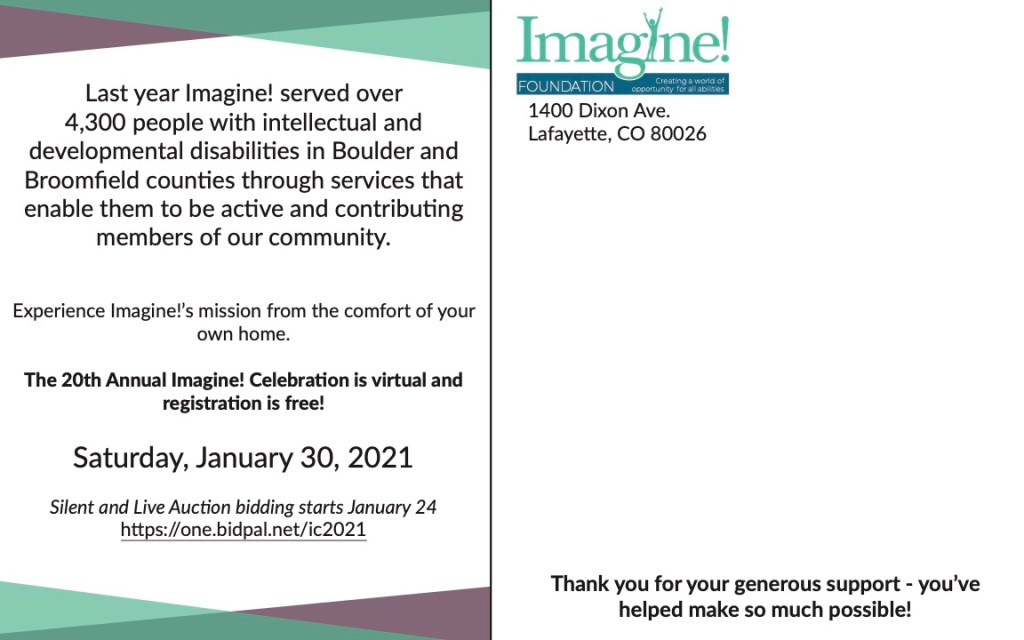
While our web developer created the page using my design, I worked on a postcard that was intended as a way to send the annual report to the homes of the donors. In previous years, the report was mailed out, but this option saved money and allowed us to promote the shiny new version of the annual report! The postcard also included information about the annual fundraiser that would occur virtually on January 30th. So this postcard was able to achieve two goals, sending the annual report to donors and other affiliates while promoting the upcoming virtual gala. Below you will see a digital version of the postcard.
Care Coordination Tribute Video
Project for Imagine!
Date: October 2019
Role: Video Editor
Tools Used: Film with Canon XA10 HD Camera, Adobe Audition, Premiere Pro, After Effects
Care Coordination Tribute Video
Project for Imagine!
Date: October 2019
Role: Video Editor
Tools Used: Film with Canon XA10 HD Camera, Adobe Audition, Premiere Pro, After Effects
We promoted the report on Instagram, Facebook, Twitter, and the company blog. This allowed us to let everyone know that they can view the 2020 Annual Report and how to do so. In the end, this was a fun project, albeit challenging and eye-opening. I learned more than I had expected but came away with quite the experience. I am thankful for the opportunity and hope more like it comes my way!
 Cara Rodriguez's Portfolio
You must be logged in to post a comment.